Upload and classification
- Drop zone for new photos
- Manual confirmation of theme, collection and quality
- Reject / approve flow before photos enter the catalogue
- Notes that remain with the photo
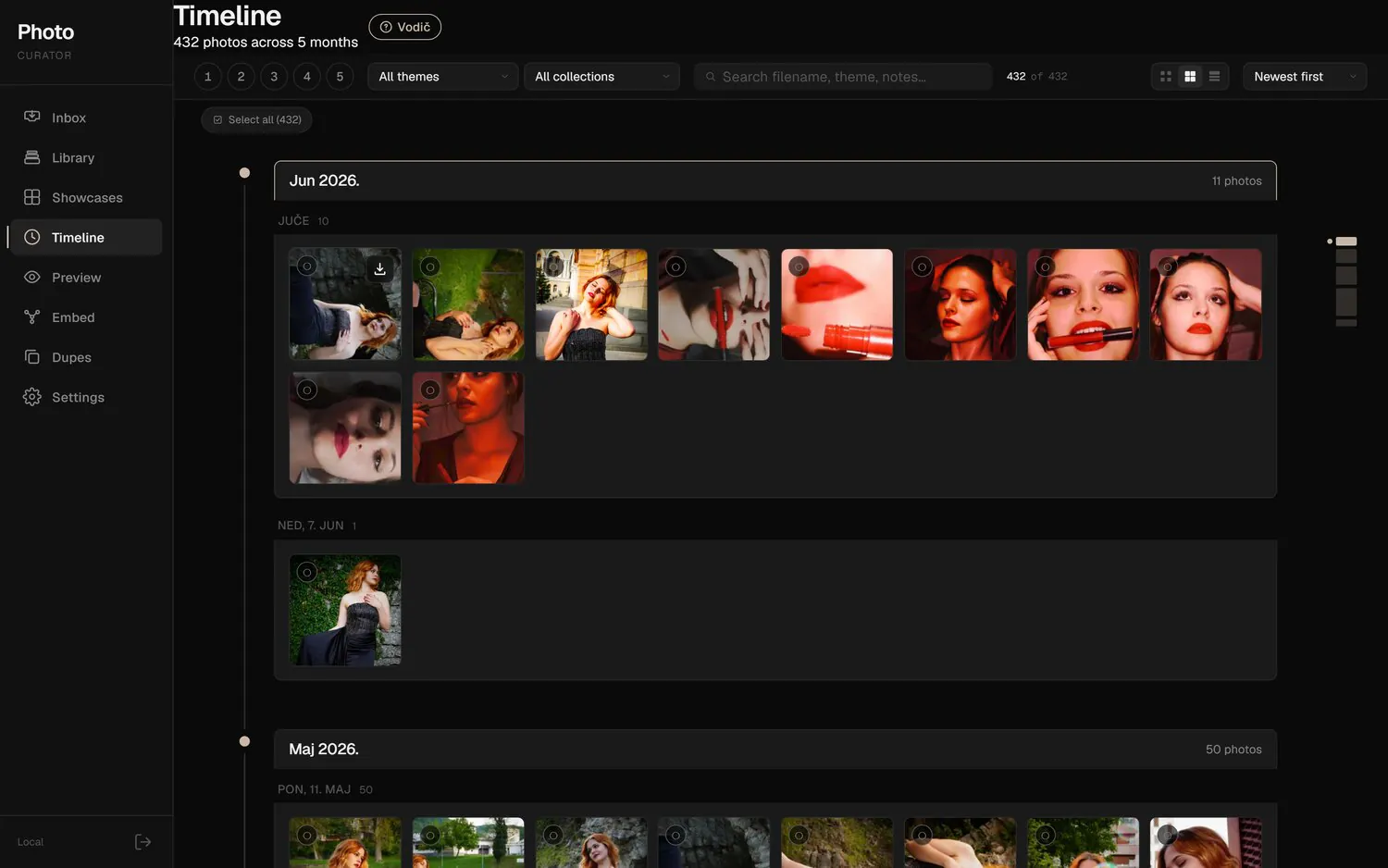
A photo archive dashboard that combines editorial work, AI classification and embedding search. Instead of yet another folder system, the photographer gets a tool for finding series, building collections and preparing a public portfolio.
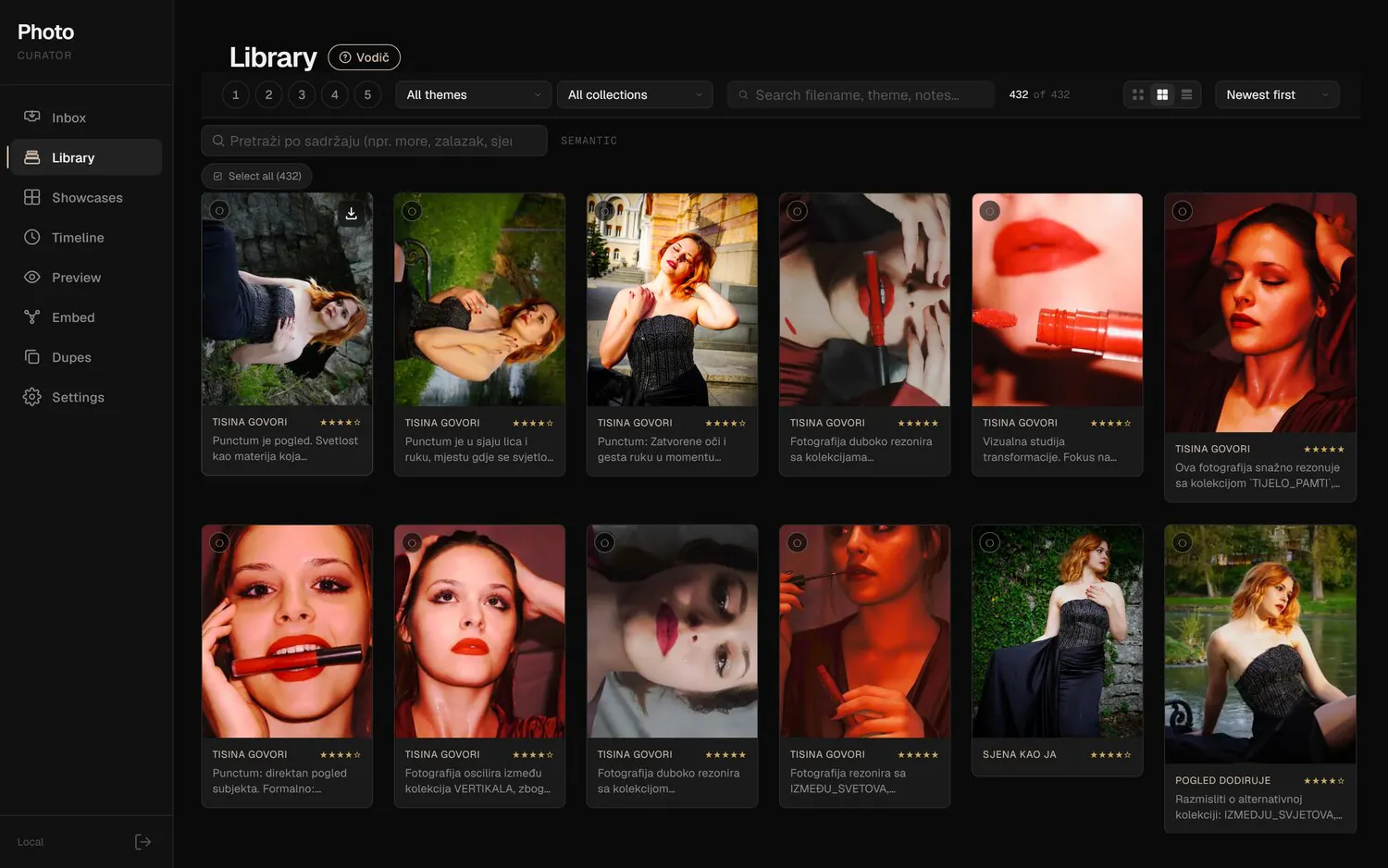
Photo archives quickly grow too large to sort by hand. Folders remember dates and file names, but not atmosphere, visual kinship, the potential for a series or a photo's place in a future exhibition.
So Smart AI Curator is built as a photographer's workbench: a new photo comes in through the inbox, gets analysed, goes into the library, links up with similar work and then moves on to collections, the timeline or the public preview.
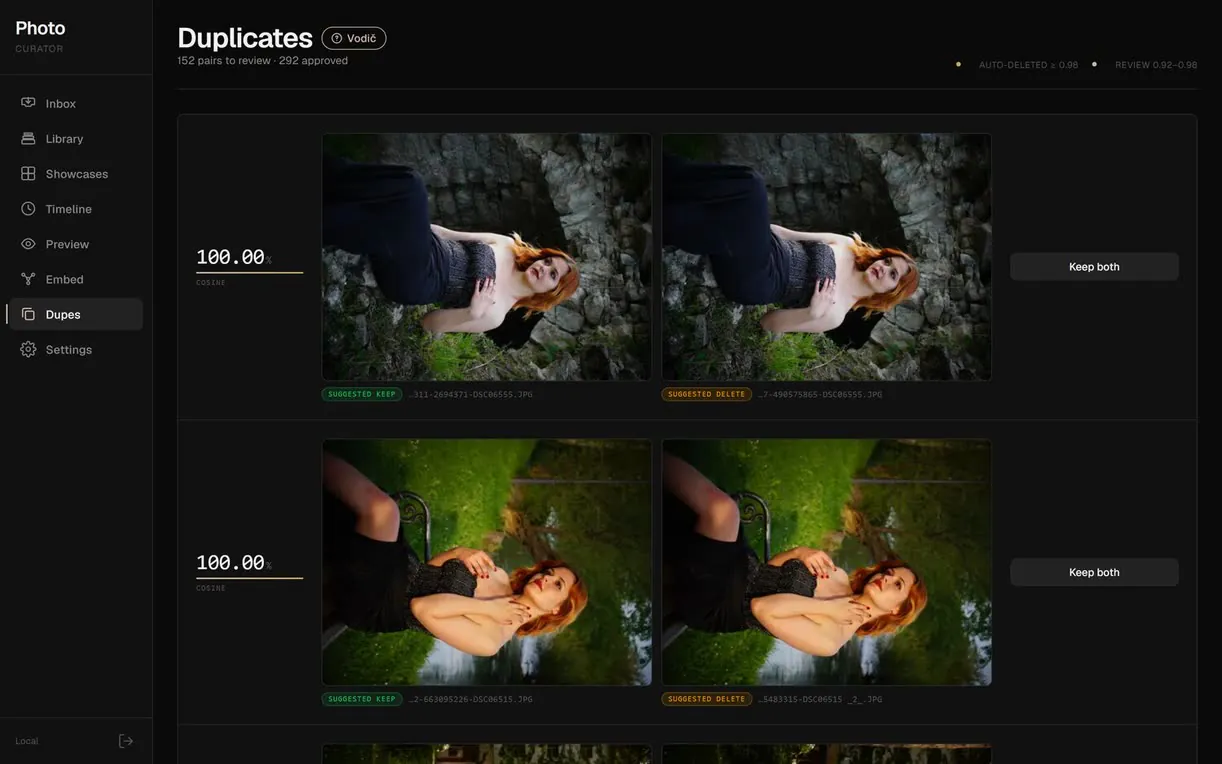
The system uses embeddings to turn the archive into a searchable space, but the final decision stays with a person. The photographer sets thresholds, approves suggestions, edits collections by hand and can restore an earlier version of the structure if the AI's direction is off.
That's a key product decision: the dashboard doesn't pretend to be an automated CMS. It speeds up the slowest part of the work, reveals connections that are hard to see in folders and leaves enough control for the result to stay the photographer's own.
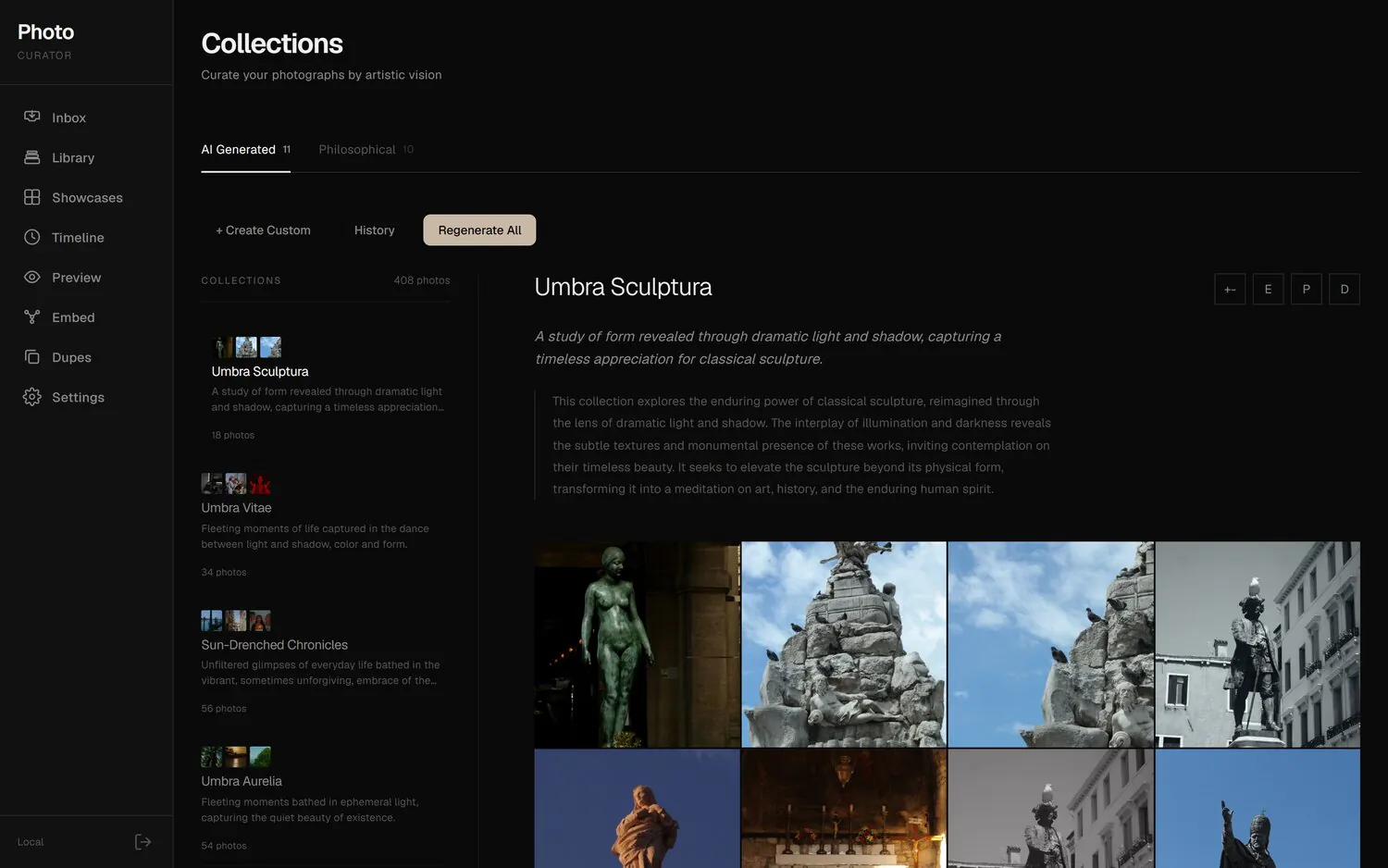
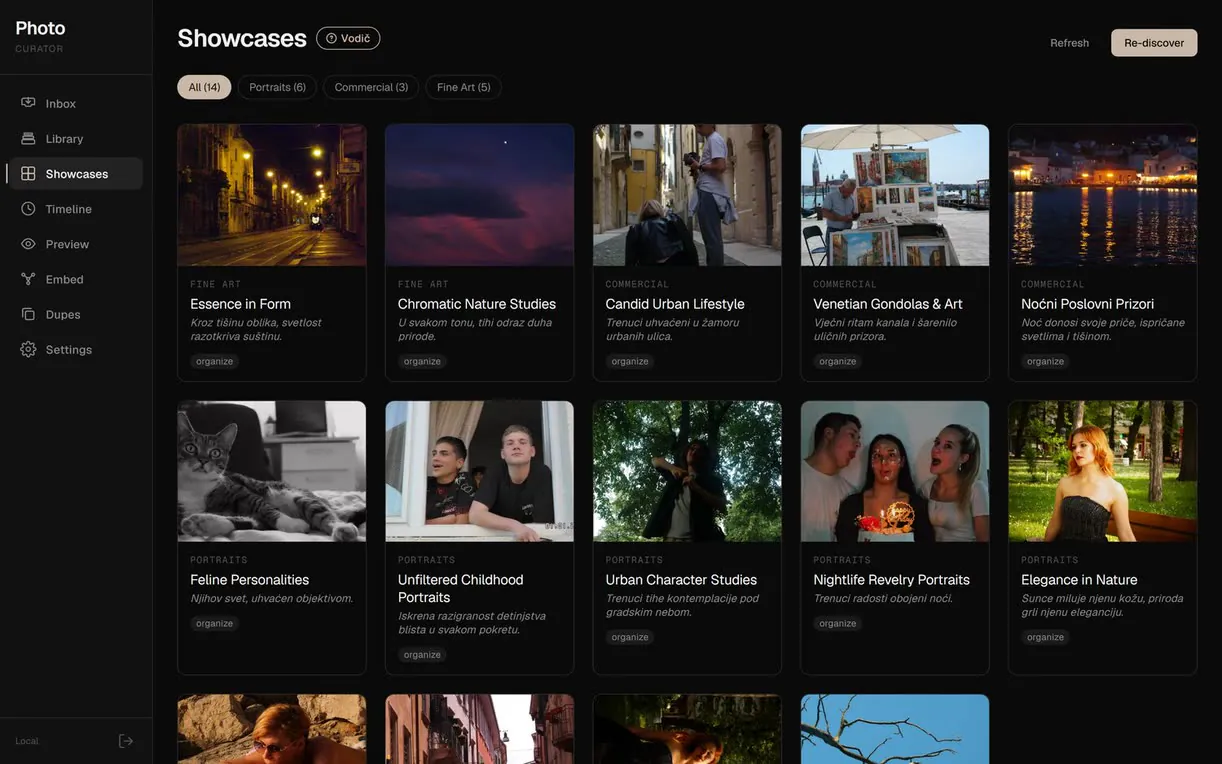
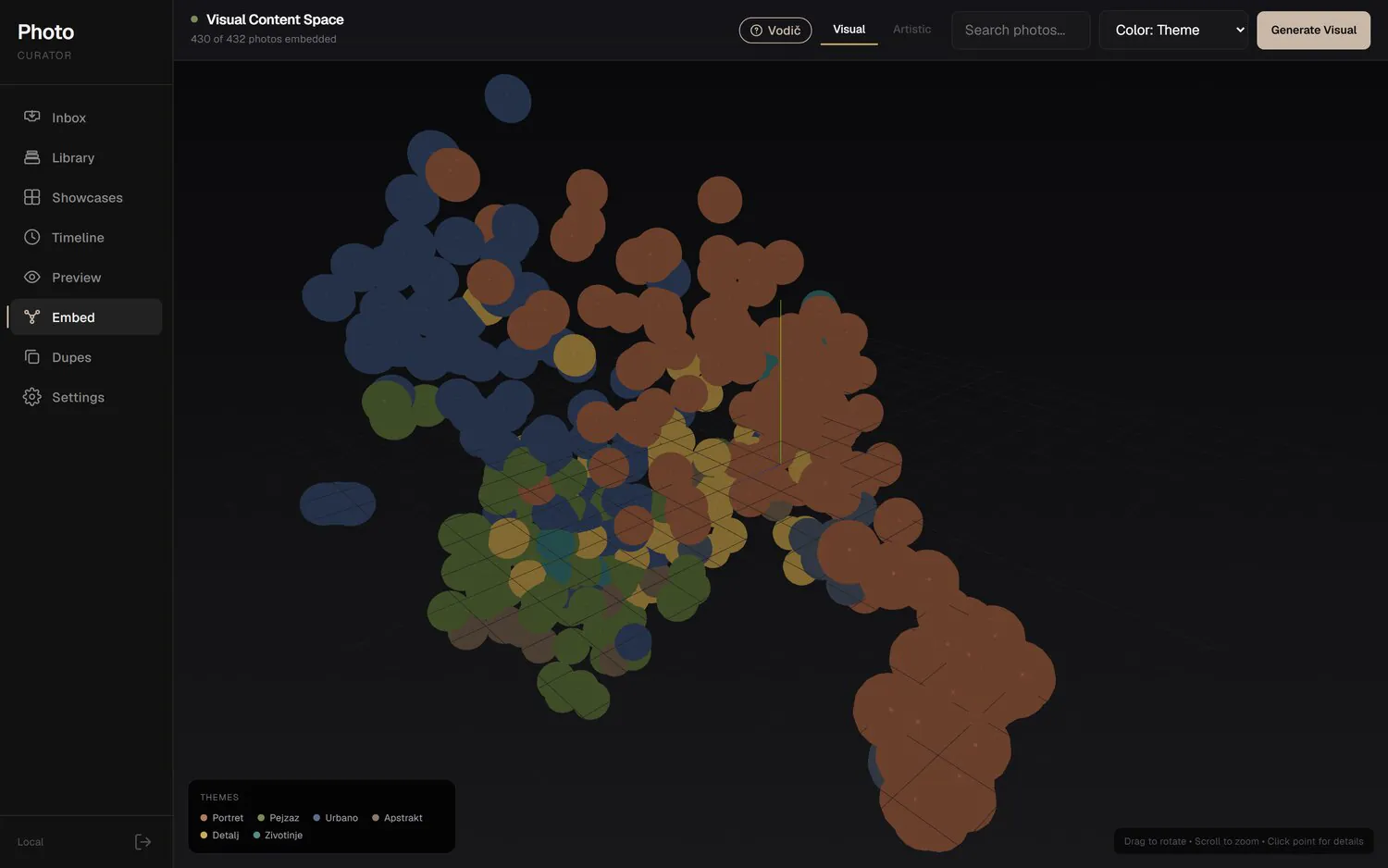
Every photo passes through a Vertex AI multimodal model that turns it into a 1408-dimensional vector. That vector is the basis for everything else: similarity search, clusters, the 3D map and automatic collection generation.
To browse the archive, PCA projection reduces the high-dimensional space to three axes you can rotate and zoom. Collections are built by cosine similarity around a seed selection, and every version of the structure is saved as a snapshot that can be restored. The result is a searchable space where the editor works fast and nothing gets lost.
Uploads don't go straight into the public catalogue. They first go through review, classification and quality selection.
Each photo gets a vector that enables similarity search, clusters and a 3D view of the whole archive.
The system can generate series, expand a seed selection and write a narrative, but the user confirms the result.
A curated series is previewed in a format close to the public website, before publishing or sending it to a client.
What the dashboard does
Import new photos with manual confirmation of theme, collection and quality.
Selection before photos enter the catalogue, with notes that stay with each photo.
Central catalogue with ratings, metadata and quick filtering.
A 1408-dimensional Vertex AI vector for every photo in the archive.
PCA projection of the library with orbit control and colouring by theme.
Cosine similarity with a threshold control for tighter or looser series.
Generating series from the embedding space or from text and seed photos.
Collection history and rollback to an earlier structure without losing work.
Monthly overview of the archive and quick access to photos by period.
Detailed photo view with metadata and EXIF data.
Masonry and grid view of a collection before it goes public.
Philosophy and description for each collection, ready to publish.